
JTECH-WEX-22D / JTD-351 Wireless HDMI Extender
Operating Frequencies
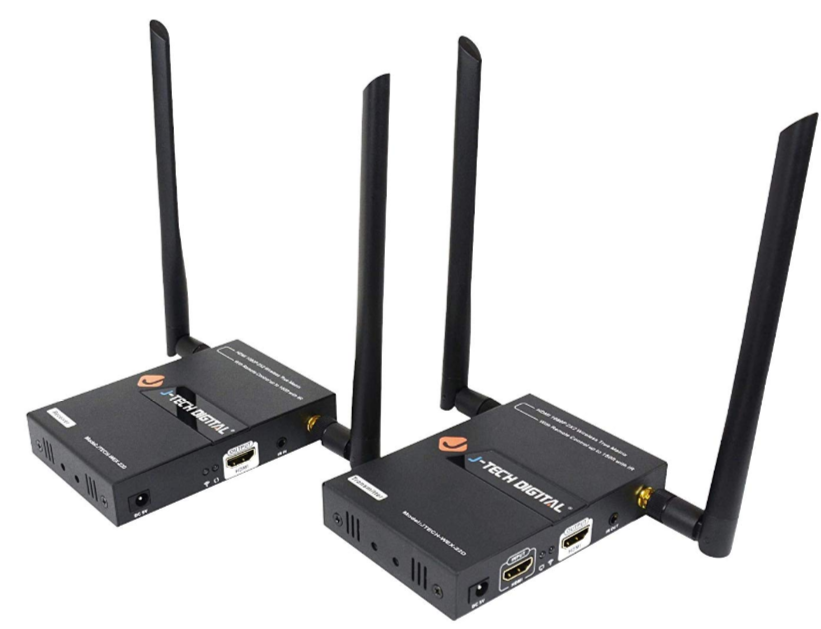
The J-Tech Digital JTECH-WEX-22D wireless HDMI extender set makes HDMI signal extension simple by wirelessly transmitting a source HDMI signal to an HDMI display. To avoid interference with neighboring WiFi networks and other network devices, the JTECH-WEX-22D features variable frequency selection via the front panel buttons or the provided remote control. The front LCD channels represent the corresponding 5GHz Channels and operating frequencies.
| JTECH-WEX-22D LCD Channel | 5GHz WiFi Channel | Operating Frequency |
| 0 | 36 | 5180 MHz (5170 - 5210) |
| 1 | 44 | 5220 MHz (5210 - 5230) |
| 2 | 157 | 5785 MHz (5775 - 5795) |
| 3 | 157 + 161 | 5785 + 5805 (5775 - 5815) |
| 4 | 149 | 5745 (5735 - 5755) |
| 5 | 153 | 5765 (5755 - 5775) |
| 6 | 149 + 153 | 5745 + 5765 (5735 - 5775) |
| 7 | 153 + 149 | 5765 + 5745 (5735 - 5775) |
| 8 | 165 | 5825 (5815 - 5835) |
| 9 | 161 | 5805 (5795 - 5815) |
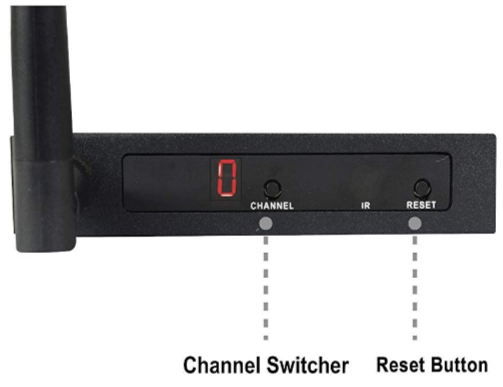
In the event that you are running into wireless interference, please reference the above table to confirm wireless interference and isolate the source the interference issue. You can also utilize a free WiFi analyzer to see what 5GHz WiFi networks are in your area and what channel they are broadcasting on. We recommend Xirrus WiFi Inspector.
For additional troubleshooting -
J-Tech Digital Support Team
(888) 610-2818
support@jtechdigital.com
Comments
0 comments
Please sign in to leave a comment.