
The JTECH-WEX-22 (JTD-1263) allows users to wirelessly extend their HDMI signal up to 164ft / 50m. The unit utilizes the 5GHz wireless band with manual channel selection capability to avoid interference. Supports 1080P video resolution, and the transmitter can broadcast the signal up to 2 receivers simultaneously
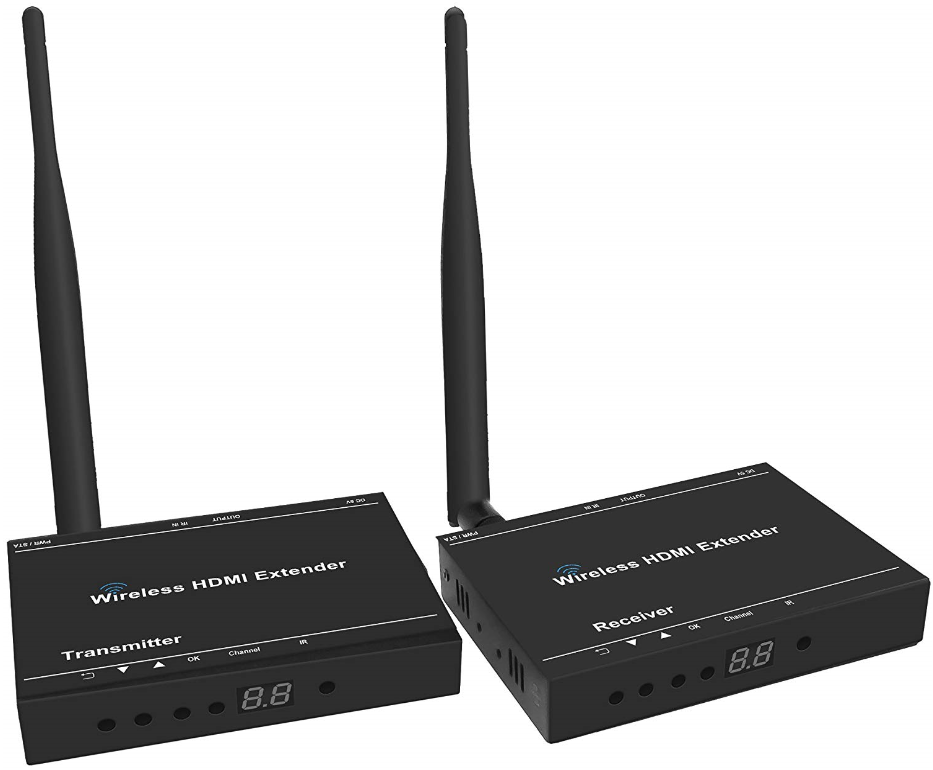
- Setup:

- Connect the source device (Blu-ray player, cable box etc.) to the transmitter’s HDMI input port using an HDMI cable
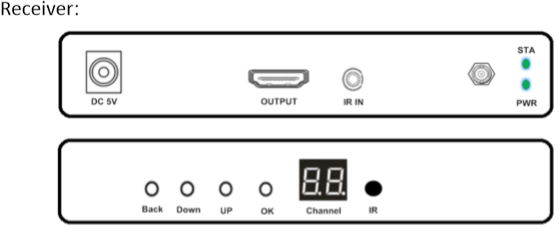
- Connect the display to the receiver’s HDMI output port using an HDMI cable
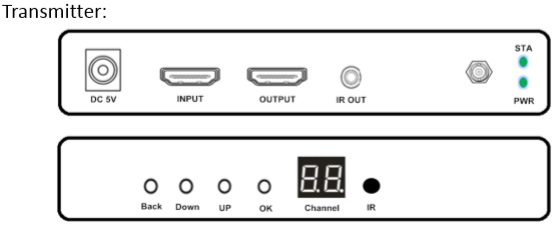
- Connect the provided IR TX cable to the “IR OUT” port of the transmitter, and connect the IR RX cable to the “IR IN” port of the receiver. This function is only necessary if users would want to control their source device via IR remote from the display’s location
- Connect the provided DC 5V/2A power supplies to both the transmitter and the receiver. The “PWR” light on the back of both units will light up, indicating that the units are receiving power
- After turning on the source device and the display, the “STA” lights on the back of both units will light up indicating that a valid connection has been established within the system
- Verify that both the transmitter and receiver are on the same channel through the front “Channel” LCD
- Users can utilize the provided remote, or press the “Up” and “Down” button on both the transmitter and the receiver panel to select the desired channel for the extenders to operate on
*Note: Please verify that both the transmitter and the receiver are on the same channel to ensure functionality
- Panel Information:
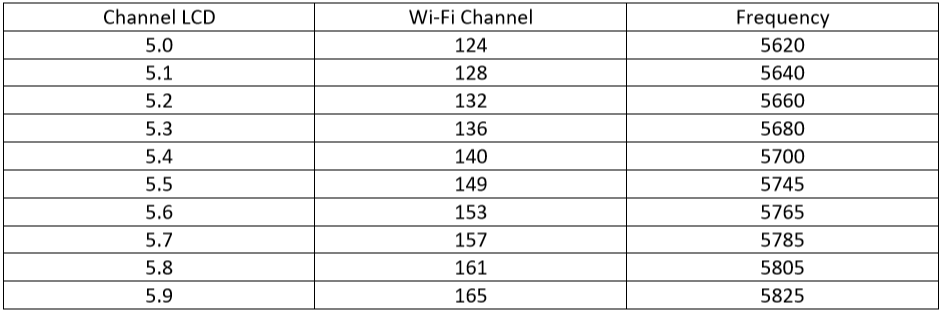
- Wi-Fi Channel Legend:
Users can use the “UP” and “Down” button on the transmitter and receiver, or use the provided remote to cycle though and select the channel with no interference for optimal performance. Please verify that both the transmitter and the receiver are on the same channel to ensure functionality
J-Tech Digital Support Team
support@jtechdigital.com
1-888-610-2818
Comments
0 comments
Please sign in to leave a comment.