
J-Tech Digital
Model: JTECH-18GSW3
JTD-ID: 383
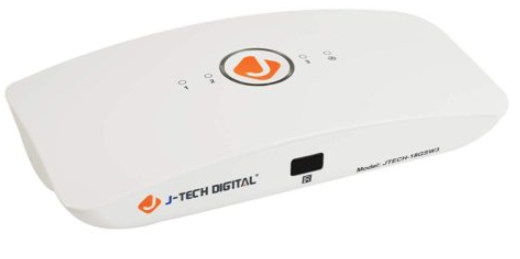
Overview:
The JTD-18GSW3 is a 3x1 video switcher that supports 4K 60Hz video with HDR 4:4:4. The HDMI ports are HDMI 2.0 specification and support a wide array of video and HDR formats, including Dolby Vision. This unit supports HDCP 2.2 specification and has the ability to auto switching functionality. In addition to the video, a wide array of audio output formats are at the user's arsenal as well: Dolby Digital, Dolby Digital+, Dolby True-HD, Dolby Atmos, DTS, DTS-HD, and DTS:X. As with all J-Tech products, this unit comes with free lifetime support via J-Tech Digital.
Application:
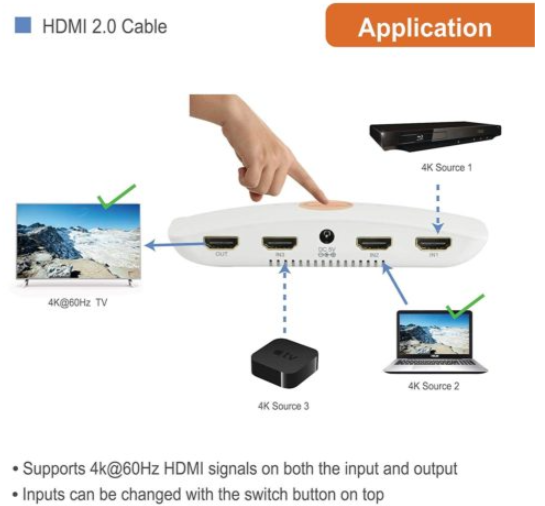
- View up to three different sources individually on a single display.
- Seamlessly transition between three sources of 4K media.
- Automatically or manually change the source being displayed via the unit's button interface or the accompanying IR remote.
Setup:
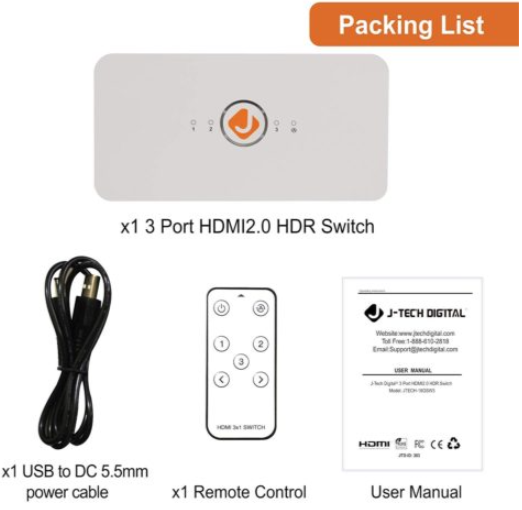
- Prior to powering on the unit: Connect up to three HDMI 2.0 or below sources to the HDMI inputs, with maximum support for 4K 60Hz.
- Connect to a single ouput display with a maximum support of up to 4K 60Hz.
- Use the provided remote to send signal to the switch, or manually control it with the top interface.
Troubleshooting:
- Power
- If the unit is not receiving power, confirm that the functionality is not simply with the supplied remote control, buy powering on the unit directly. If you still see no lights or sign of activity, the issue may be with the adapter or the unit. In either case, contact J-Tech Digital for assistance.
- Video
- If the unit is not displaying a video source when switched to it, while the others still function, confirm the functionality of the HDMI cable going to that source.
- If no inputs are displayed on the output display, confirm the functionality of the cable going from the HDMI OUT port on the unit to the display.
- If no inputs or outputs are displayed and direct testing confirms cable functionality, contact J-Tech support.
- Audio
- If no audio is present on any given source, while others work, confirm the functionality of the HDMI cable in use for that source.
- If no audio is present during playback of any video sources, confirm cable functionality for the non-working source. If the cables are functional, contact J-Tech support, as the problem may be with the unit's HDMI OUT port.
Comments
0 comments
Please sign in to leave a comment.