
J-Tech Digital
Model: JTD-MINI-1x2SP
JTD-ID: 1286
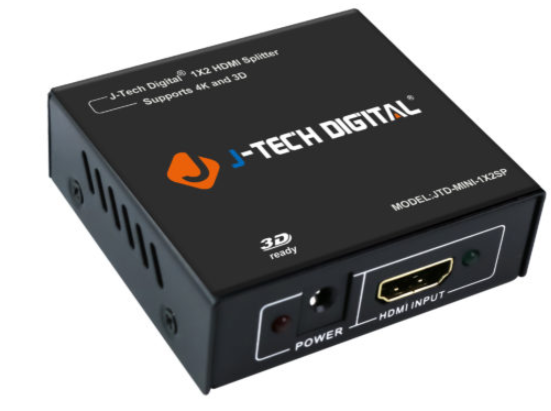
Overview:
The JTD-MINI-1x2SP is a 1x2, 1080p HDMI splitter, that supports mirroring a single input to 2 outputs. With HDMI 1.3b spec, it supports sending 3D, 1080p video out from a single source to two displays. In addition, it also supports a wide array of audio output formats. The HDCP specification is 1.4, for digital copy protection and as with all J-Tech units, this device has lifetime free support via J-Tech.
Application:
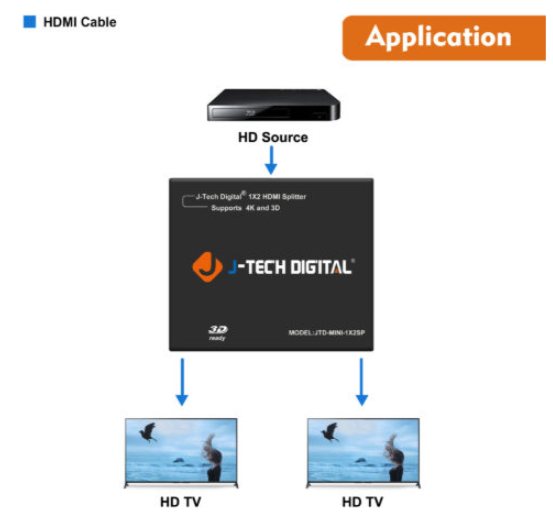
- Split a single HDMI source to two displays with a maximum resolution of 1080p.
- Utilize 3D capability on both outputs.
Setup:
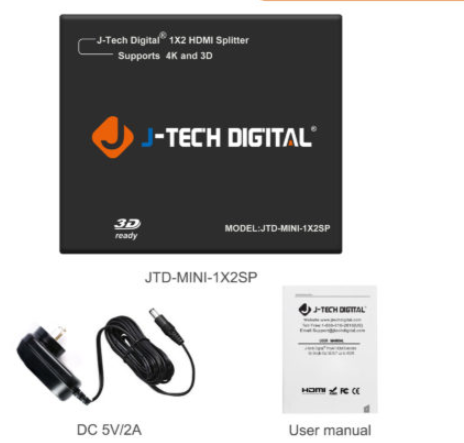
- Prior to powering on the device: Connect HDMI source (1080p, 3D) to the HDMI IN.
- Connect HDMI cables from HDMI OUT to 2 displays.
- Power on the device.
Troubleshooting:
-
Power
- If the device is experiencing a lack of power, try using a different electrical port, power strip or other power providing outlet. If there is no change, then the unit or the adapter may be experiencing difficulty. Contact J-Tech.
-
Video
- If there is no output going to one of the TVs, while the other functions, try replacing the non-working output's HDMI cable. If this still does not resolve the problem, the issue may be with the unit's HDMI OUT port or the output display's HDMI IN port. Test a direct connection; if it is the former, contact J-Tech.
- If no video is being output by either display, confirm the functionality of the cable connected to the source unit, then the resolution and framerates of the source device. If there is still no video, the unit may be experiencing difficulty, contact J-Tech.
-
Audio
- If no audio can be heard, confirm the functionality of the cables to the non-working audio display. In addition, confirm the audio format, by checking to see if it is set to Auto on the source device. If it is, try using "Dobly Digital" or "PCM" to determine if this is the cause of the interference.
Comments
0 comments
Please sign in to leave a comment.