

J-Tech Digital ULTRA HD 4K HDMI To HDMI + Audio (Spdif + RCA Stereo) Audio Extractor Converter(Support Apple TV 4 Gen) Premium Quality
- For this to work properly, you will need:
- 1 x HDMI Cable Version 1.4 or later
- 1 x Toslink SPDIF Cable
- 1 x Provided Power Supply
- Connect power supply to extractor.
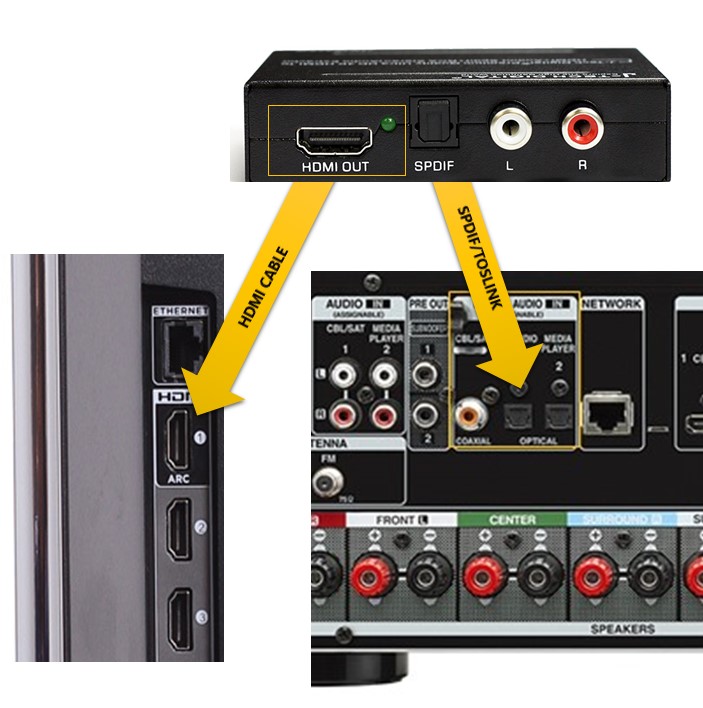
- Connect one end of HDMI cable to "ARC Input" of TV.
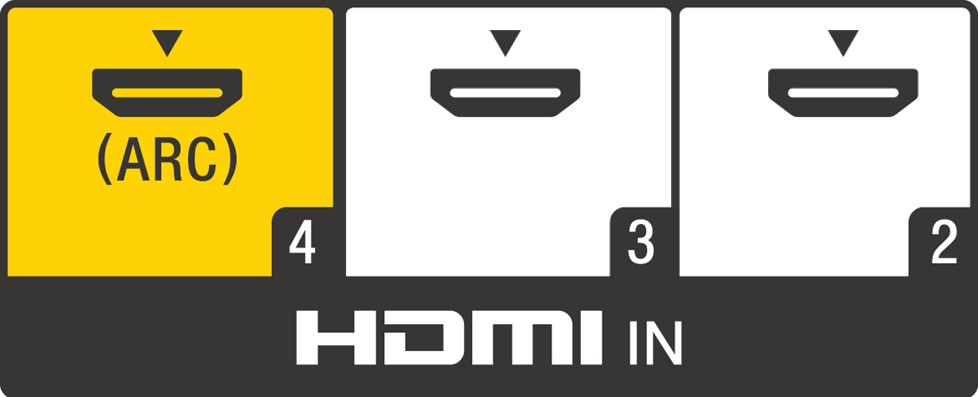
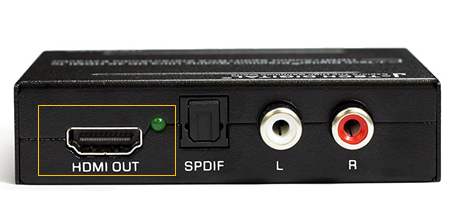
- Connect the other end of the HDMI cable to the "HDMI Out" of the extractor.
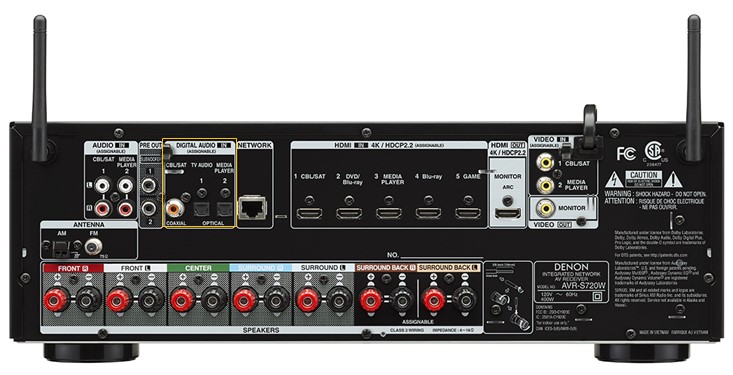
- Once you have made those connections, then you you will need to connect one end of the Toslink SPDIF cable to your audio visual receiver, wireless headphones, etc. For audio video receivers, you will have to change the input settings from analog to digital in, depending on what input you choose to use.
- If you are using wireless headphones then you will have to set the sources audio setting to stereo, 2 channel or PCM audio. Our extractor does not decode surround sound formats.
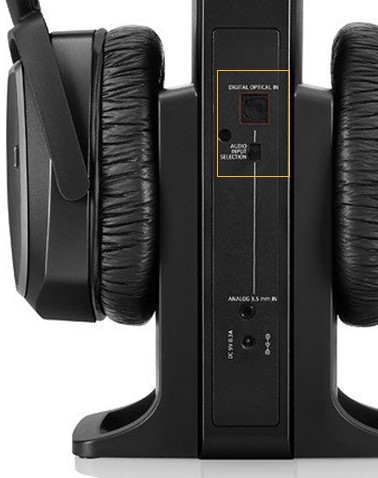
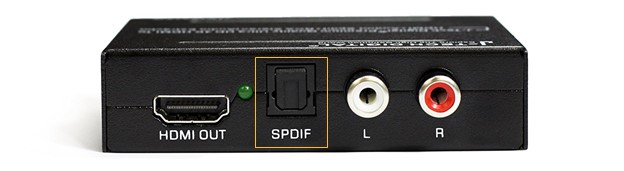
- Take the other side of the Toslink Cable and plug it into the extractor. Please note that our extractors ARC outputs through the "SPDIF" output and not the RCA output.
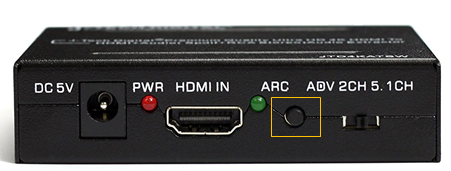
- Press the ARC button on the other side of the extractor.
- Here is another diagram of how the connections should look at the end of the set up:
Comments
1 comment
I want to ask a question about this device, J-Tech Digital HDMI Audio Extractor w/ ARC function. Is this the appropriate place?
Please sign in to leave a comment.