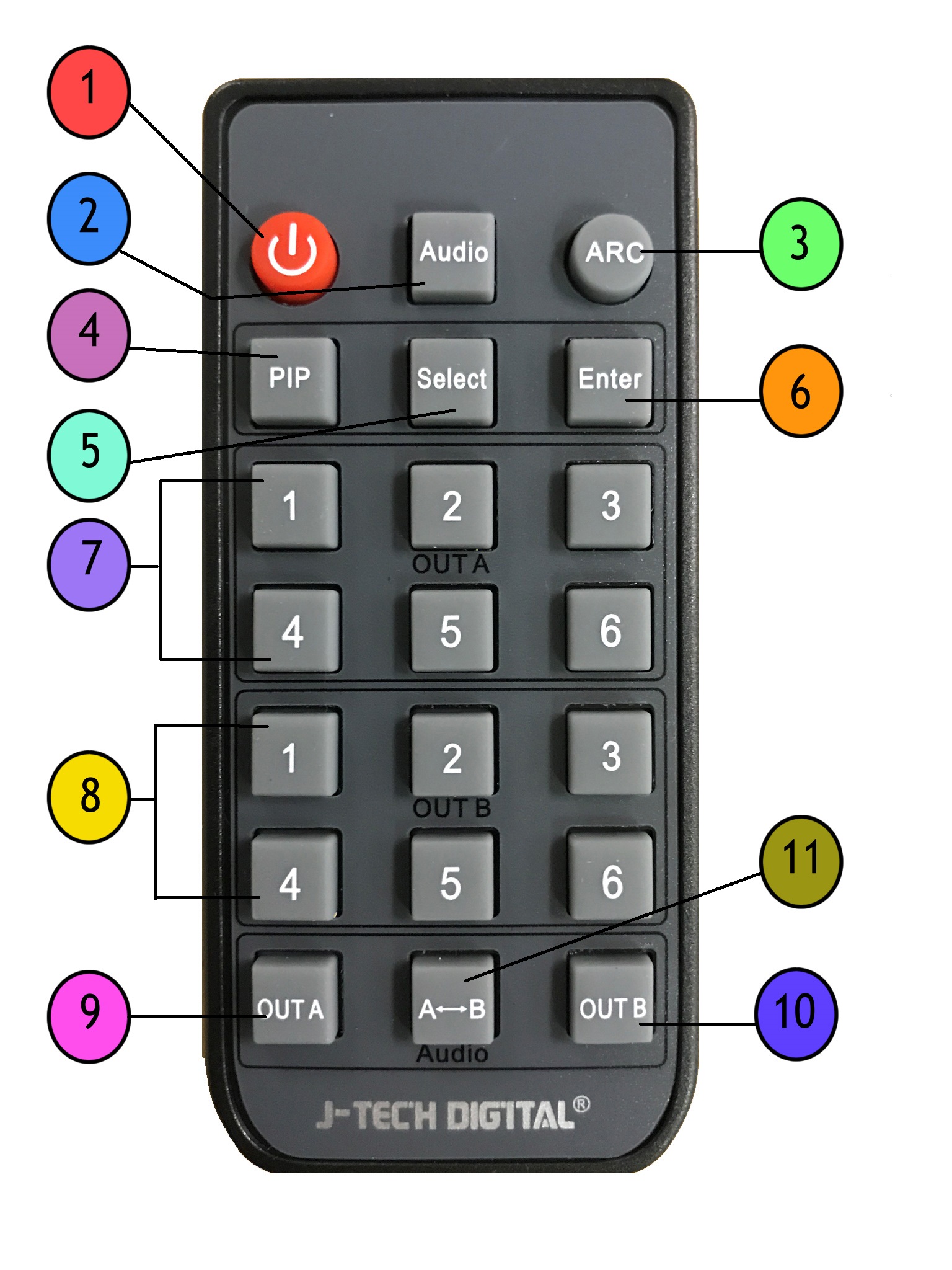
Audio - Toggles between 3 EDID audio settings, 2 Ch/5.1Ch/ADV
ARC - Enables/Disables Audio Return Channel Function on Output A
PIP- Enables/Disables Picture In Picture Mode (this mode takes over all outputs)
Select - When in PIP mode, Select button toggles through smaller PIP screens so that you can select which source you would like to be the main image
Enter - When in PIP mode, confirms the smaller pip screen you selected that you want to make the main image * When in PIP Mode, Select button toggles through available sources, Enter button chooses the available source to be main image
1,2,3,4,5,6 Out A - Selects source for Output A
1,2,3,4,5,6, Out B - Selects source for Output B
Out A- Toggles Output A On/Off
Out B - Toggles Output B On/Off
Audio A<->B - Toggles between Output A and Output B's Audio source for the SPDIF Audio output

Comments
0 comments
Please sign in to leave a comment.