
J-Tech Digital
Model: JTECH-DTOA-D
JTD-ID: 820
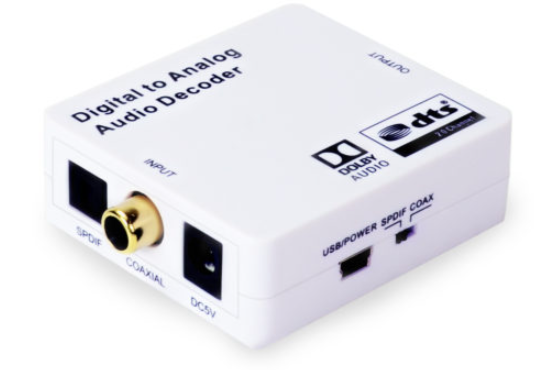
Overview:
The JTECH-DTOA-D is a digital to analog audio decoder and converter. It supports Dolby Digital, PCM and DTS via TOSLINK and Coaxial inputs to 3.5mm and RCA outputs. This unit is easy to install, simple to operate and as with all J-Tech Products, it comes with free, lifetime support via J-Tech.
Application:
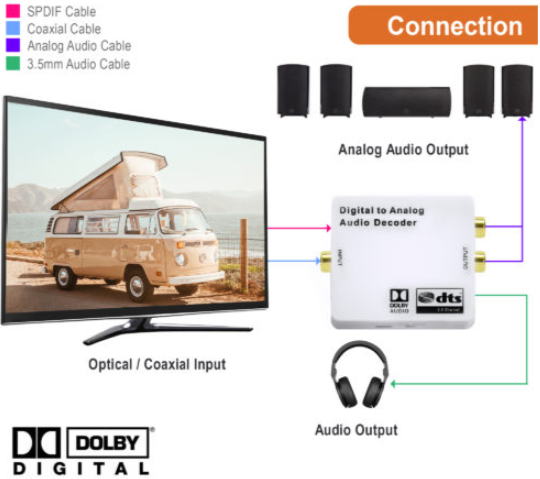
- Connect up to one optical and coaxial source to the respective inputs on the unit.
- Connect up to one RCA and 3.5mm out to the respective outputs on the unit.
Setup:
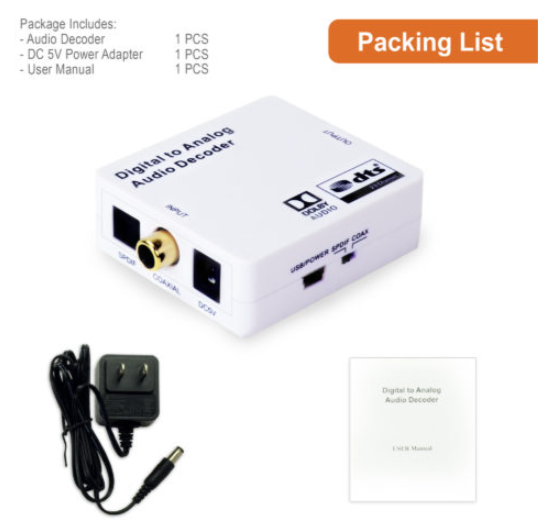
- Prior to powering on the unit, connect the inputs and outputs to their respective ports: SPDIF and Coaxial to IN, RCA and 3.5mm to OUT.
- Power on the Unit; this can be done via the provided adapter or micro USB.
- Use the switch to toggle between the desired input to convert, SPDIF or Coaxial.
Troubleshooting:
- Power
- If the device is not powering on, confirm that both the adapter and the micro-USB ports are functional, by testing each. If one of these methods works, while the other does not, the problem may be with that particular charger.
- If neither the adapter nor the micro-USB charger works, the problem may be with the unit's ports; contact J-Tech support.
- Audio
- If no audio can be heard, confirm the functionality of all cables in use.
- Ensure that the switch on the unit is set to the correct audio source.
- Determine if the source is sending audio that is not Dolby Digital, PCM or another accepted format. "Dolby Digital +" will not pass through the unit.
Comments
0 comments
Please sign in to leave a comment.