
J-Tech Digital
Model: JTD-EX-120M
JTD-ID 87
Overview:
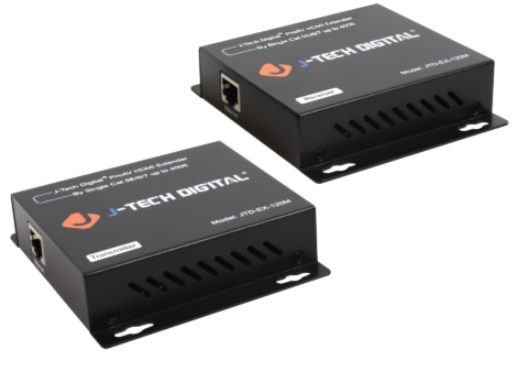
The JTD-EX-120M is a long range, one-to-many, 1080p extender. It can extend an HDMI signal up to 120m via Cat5e/6 (24 bit color) or Cat7 (36 bit color) cables. TCP/IP is used between the transmitter and receiver units to allow functionality with network devices. This unit also uses Motion JPEG 2000 compression for no loss of image quality and supports IR passthrough for remote control of source devices. For best results, J-Tech suggests using solid copper ethernet cables, such as the JTD-943, which ships at the maximum 400ft/120m length supported by this unit. As with all J-Tech products, the JTD-87 has free, lifetime support through J-Tech Digital.
Application:
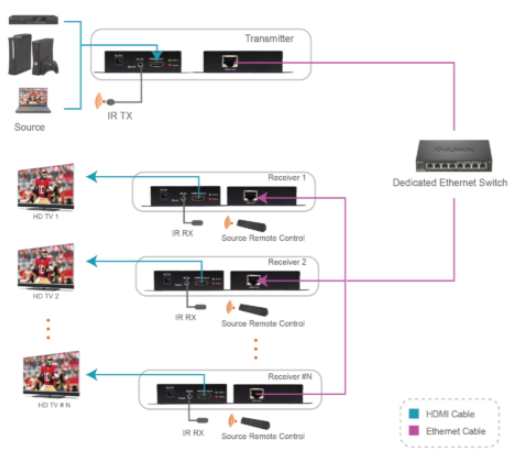
- Directly extend a 1080p HDMI signal up to 120m.
- Extend a 1080p through an ethernet switch, from one source to many, up to 120m.
- Use IR passthrough to control source device via wireless remote.
Setup:
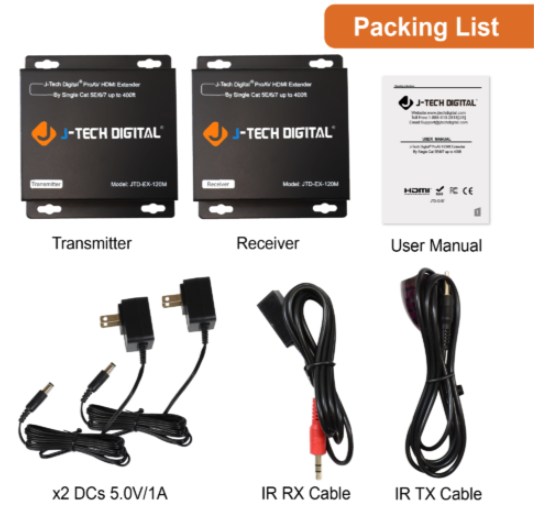
- Prior to powering the units on: Place and connect the Cat5e/6/7 cables between the units, going into a switch as necessary.
- Connect the HDMI cables to both the transmitter(s) and receiver(s).
- Connect the IR cables to the transmitter(s) and receiver(s).
- Power on both units, in any order.
Troubleshooting:
- Power
- If the device(s) does not power on, confirm the functionality of the power adapters by plugging them into alternative power sources, outlets, electrical strips. If one or both unit still does not power on, the problem may be with the the adapters or the extenders; contact J-Tech.
- Video
- If you are unable to see video output on one or more receivers, while others work, confirm the functionality of the HDMI cable on the receiver end.
- If no video out is visible on any output, confirm the functionality of the HDMI cable connected to the transmitter.
- If you are going through an ethernet switch, confirm that your switch is correctly configured from the switch's interface.
- If none of the above solve the issue, there may be a problem with the units themselves; contact J-Tech.
- Audio
- If you are unable to hear sound on one or more displays, confirm the functionality of all HDMI cables.
- If the cables are in working order, check the audio format or presence of the device plugged into the transmitter.
- If you are going through an ethernet switch, confirm that your switch is correctly configured from the switch's interface.
- If none of the above solve the issue, there may be a problem with the units themselves; contact J-Tech.
- IR
- If you are unable to send or receive an IR signal, confirm the orientation of the IR cables in the unit.
- Adjust the IR window, place the bulbs near places one would naturally aim a remote.
- If there is still no response from the unit after attempting the above, the problem may be with the remote or IR cables; contact J-Tech.
Comments
0 comments
Please sign in to leave a comment.