
J-Tech Digital
Model: JTECH-AET1000B
JTD ID: 402
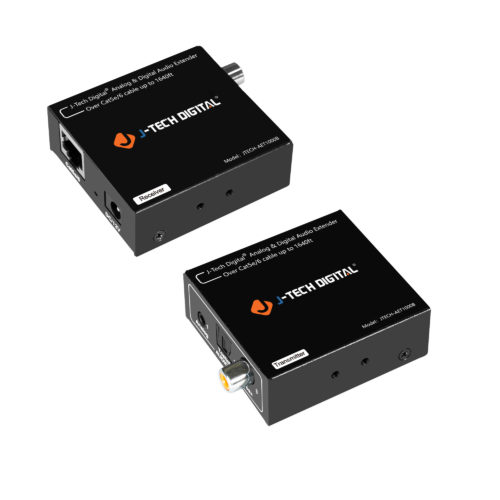
Overview:
The JTECH-AET1000B allows you to extend your digital optical, digital coaxial, or analog audio signal up to 1640 feet over a single Cat5e/6 cable. This audio extender is PoC (Power Over Cable). Only 1 power is needed to supply power to both the transmitter & receiver. You can connect the power adapter on either end of the extender to power both units. This product is great for adding remote audio sources to your system. The audio formats this unit support are PCM 2.0, DD EX, DD 5.1, DD 2.0 Surround, DTS Digital Surround 5.1, & DTS 2.0.
Setup:
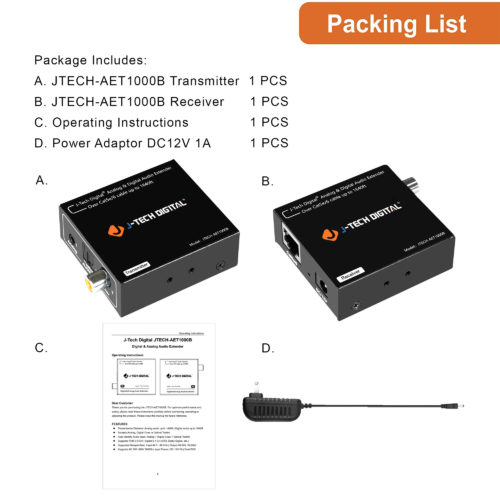
- Remove isolation plastic from extenders and power adapter.
- Place the Transmitter and receiver somewhere convenient up to 1640 ft. apart.
- Plug in DV12V 1A power adapter to either the transmitter or receiver.
- If using analog source, plug in source to analog in port of transmitter.
- Plug in sound system/speaker to either analog, optical, or coaxial out port on receiver.
- If using optical or coaxial source, plug in source to optical or coaxial in port on transmitter.
- Plug in sound system/speaker to either optical or coaxial out port on receiver.
- Enjoy quality sound.
Analog Application:
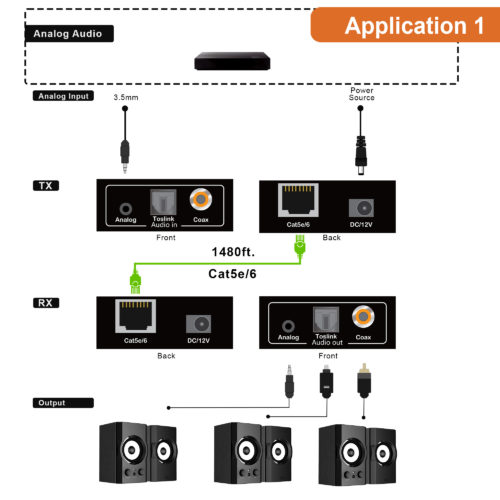
1. Source connected to analog in on transmitter.
2. Analog, optical, or coaxial out on receiver to speaker/ sound system.
Optical/Coaxial Application:
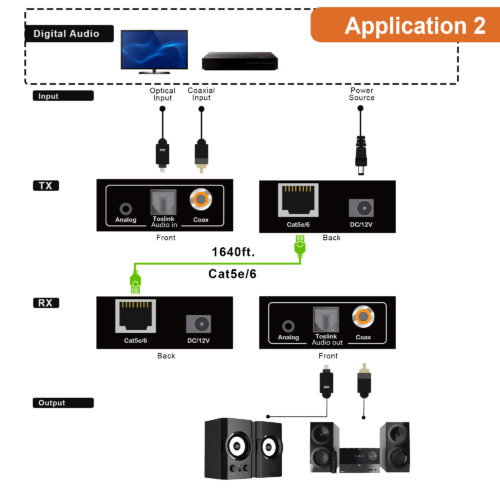
1. Source connected to optical or coaxial in port of transmitter.
2. Audio out from optical or coaxial out port of receiver. Cannot output audio via analog out port on receiver.
Troubleshooting:
- If you are not getting audio via analog out port:
- Check Audio format of source device, verify it is set to 2CH(stereo)/PCM.
- Verify audio cables are connected to analog input and output ports correctly.
- Test another source device.
- Test a different Cat5e/6 cable at a shorter distance.
- Remove unit from any patch systems or wall plates.
2. If you are not getting audio via optical or coaxial out port:
- Optical and coaxial output ports will not output audio simultaneously.
- Check audio format, verify sources are set to a format that is supported by audio extender.(PCM 2.0 CH,DTS, Dolby Digital, etc.)
- Test a different Cat5e/6 cable at a shorter distance.
- Remove unit from any patch systems or wall plates.
For Support:
Call: 888-610-2818
Email: support@jtechdigital.com
Comments
0 comments
Please sign in to leave a comment.