
Please download the the attached program before continuing (PC only). If for some reason the attachment does not work, or you are using a MAC, you may download from this LINK. After you download the setup files, please install the program to your PC or MAC.
NOTE: You will not be able to view 5GHz networks, if your computer does not have a 5GHz network card.
Once installed and running, please select the "Networks" tab (Figure 1).
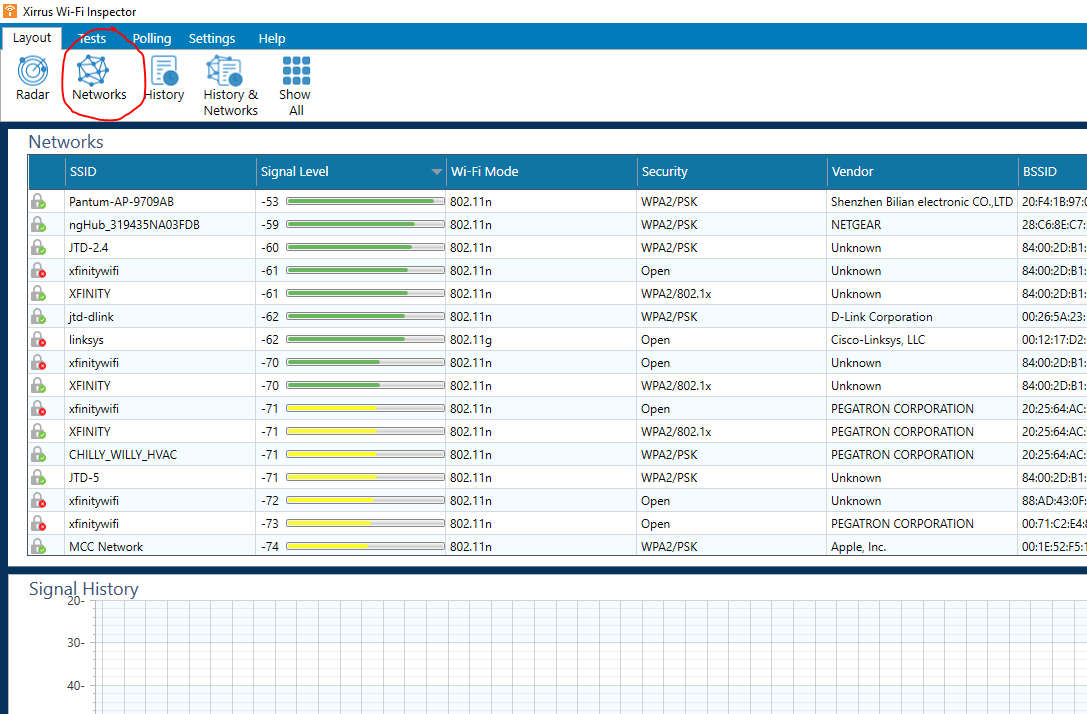
Figure 1.
After you can see the full list of networks, please look in the "Channel" column (Figure 2) for the channels of your local wireless networks. Our HDbitT Wireless extenders uses channels 149 and 153. Please ask our Tech Support Team for any other extenders you might have.
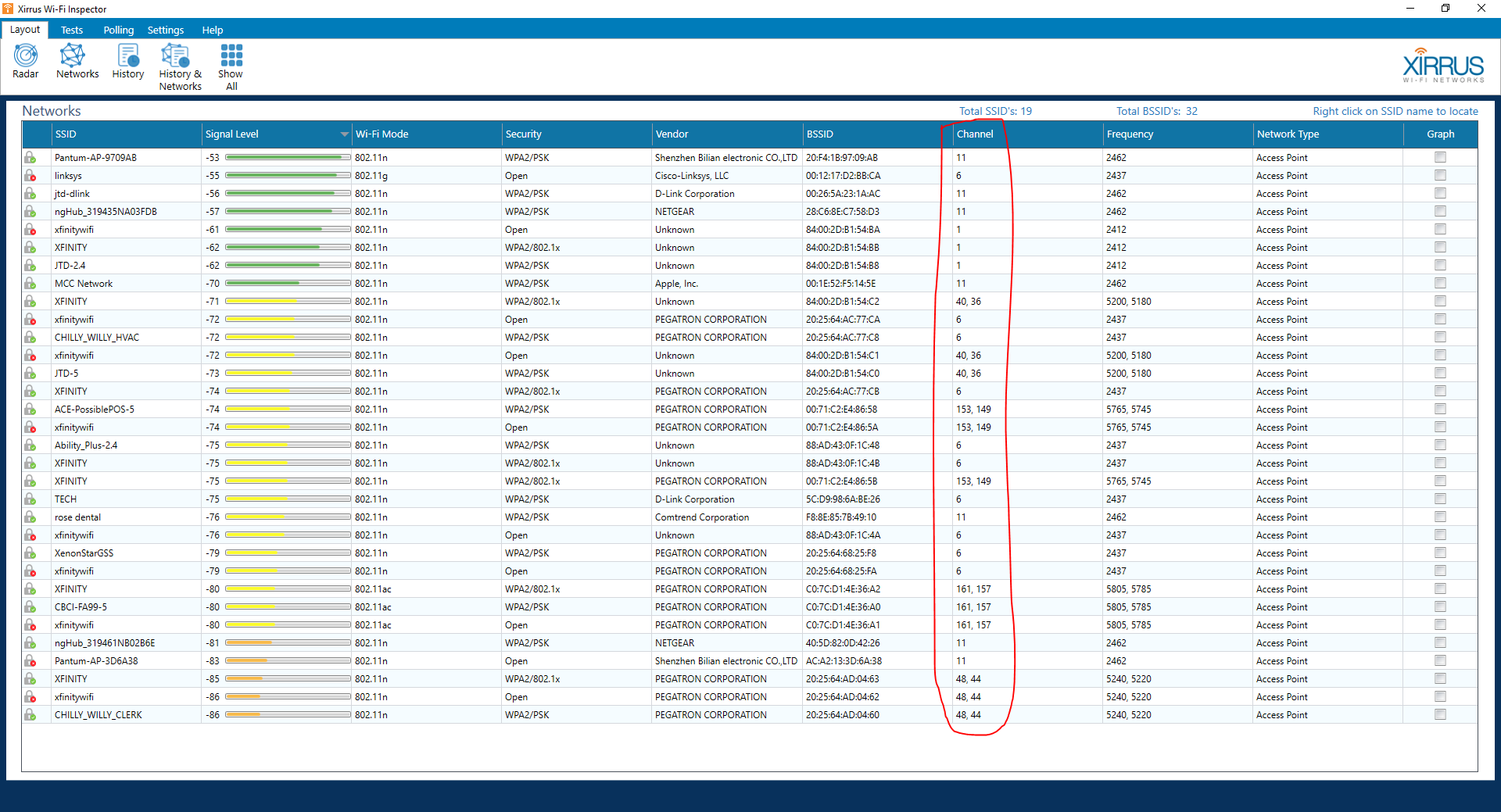
Figure 2.
If your WiFi router is using the same channels as our extenders, please change the WiFi channels in your router. If you do not recognize the WiFi name (SSID) that is using the same channels that our extenders are using, this might cause interference in your area, if the signals are strong enough; unless those channels are changed.
If you have any issues, please contact our support team:
J-Tech Digital Support Team
1-888-610-2818
support@jtechdigital.com
Mon-Fri 9AM-6PM (CT)
Comments
0 comments
Please sign in to leave a comment.